Flat garment width
A side-to-side measurement taken while the clothing is laid flat. It is not automatically the same as a full circumference.
Fit guide · 9 minute read
A size letter is only a label. A better comparison starts with an item you already wear, the way it was measured, and the amount of room you want the new item to have.
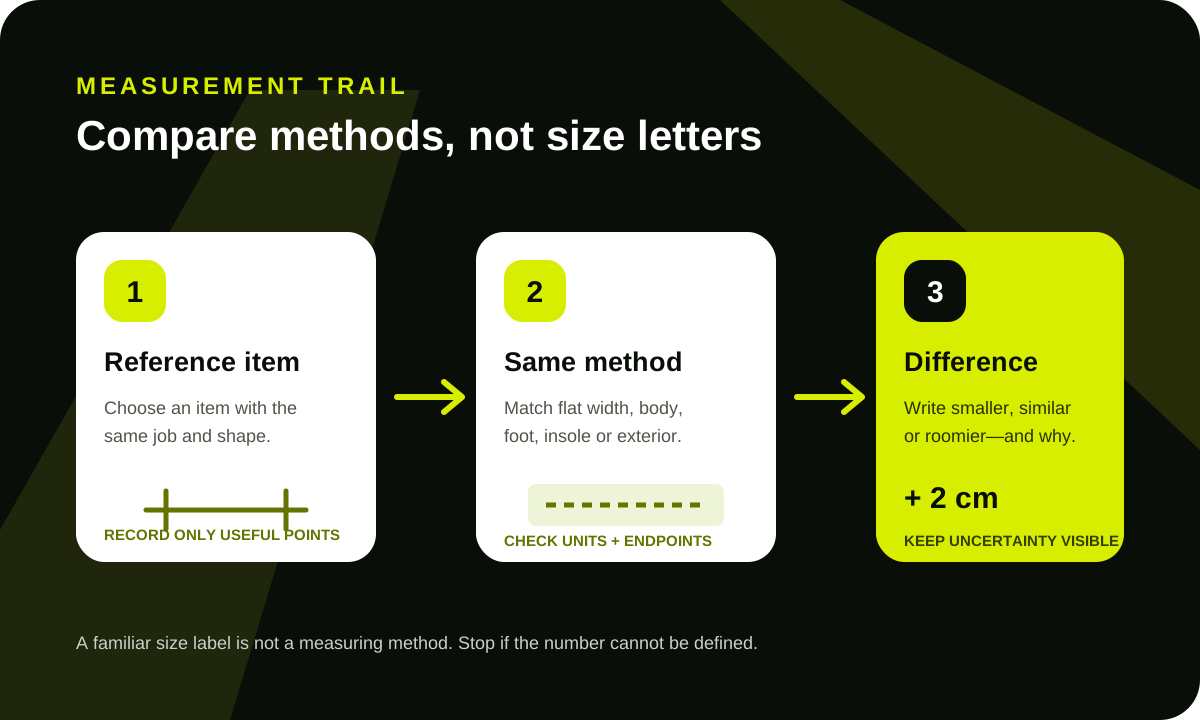
Choose something you already own that has a similar job and shape. Compare a relaxed hoodie with another relaxed hoodie, not with a fitted T-shirt. Compare a structured jacket with a jacket, not with a sweatshirt. The closer the construction, the more useful the measurements become.
Lay the reference item flat without stretching it. Record only the measurements that affect your decision. You do not need a complete tailoring diagram when chest width, length, and sleeve are the three reasons an item fits you well.
A chart can describe the body, the finished garment, the foot, the insole, or an external product dimension. Those are not interchangeable. Look for a diagram, label, or written measuring method before comparing numbers.
A side-to-side measurement taken while the clothing is laid flat. It is not automatically the same as a full circumference.
A measurement around or along the wearer. It usually needs room for the garment’s intended fit.
The length of the foot used to choose a size. It is different from the inside length of the shoe.
A product measurement that may include extra room. Check how and where it was taken.
External width, height, and depth. Shape, padding, and closures can reduce usable interior space.
A label that still needs a circumference, adjustment range, drop, or other useful dimension.
Chest width, body length, shoulder, sleeve, cuff, and whether the cut is fitted, regular, or intentionally oversized.
Chest, shoulder, sleeve, back length, lining, insulation, and how much room is needed over another layer.
Waist method, rise, hip, thigh, inseam, outseam, and leg opening. An elastic waist also needs its relaxed and practical range.
Foot-length guidance, insole or inside length, width notes, toe shape, and the exact system used on the size label.
External dimensions, opening width, interior layout, handle drop, strap range, and the size of objects you expect to carry.
Usable length, adjustment range, fastening, and scale. “One size” does not answer whether the item suits your use.
Do not average the numbers or pick the chart you prefer. First check whether the two pages describe the same product, variant, and measuring method. A converted page may show an older image, a generic chart, or a default option that differs from the row you saved.
Matching one number exactly does not guarantee the same fit. Fabric stretch, thickness, shoulder construction, rise, toe shape, lining, and intended silhouette all change how an item feels. Use the reference garment to define the result you want: closer, similar, or roomier.
Write that intention beside the measurements. “Similar chest, two centimetres longer” is more useful than “probably size L.” It also makes it easier to reject a row when the chart cannot support the intended fit.
A photo with a tape measure can be useful when the endpoints, tape position, and product are visible. It becomes weak evidence when the tape curves, the zero point is hidden, the item is stretched, or the photo does not match the selected variant.
A measurement photo can support a chart. It should not be used to invent an exact answer from a blurred or incomplete view.
Return to the exact product before comparing numbers. Confirm the selected color, material, and size, then check whether the chart shows body measurements, flat garment measurements, foot length, or inside length. The Joyagoo guide shows where this check fits in the larger product trail.
Your reference hoodie measures 58 cm across the chest and 70 cm in length. Row A shows a flat-garment diagram, lists 59 cm chest width and 71 cm length for the selected size, and includes a clear front measurement photo. Row B uses the same size letter but only lists a 116 cm “chest” without saying whether it is body or garment circumference.
Row A is easier to compare because the method and selected size are visible. Row B may still be relevant, but its number needs clarification before it can support a size choice. The familiar size letter does not resolve the uncertainty.
This note preserves the reasoning when you return to the row. It also prevents a different option or generic chart from silently replacing the one you checked.
Measurements reduce uncertainty; they do not guarantee fit, comfort, material behavior, production consistency, product quality, or that a listing is current. This independent guide cannot inspect an item, verify a seller, or resolve an order. Use current listing details and the official service channel for any account-specific question.
